XPS vs PDF: Complete File Format Comparison Guide
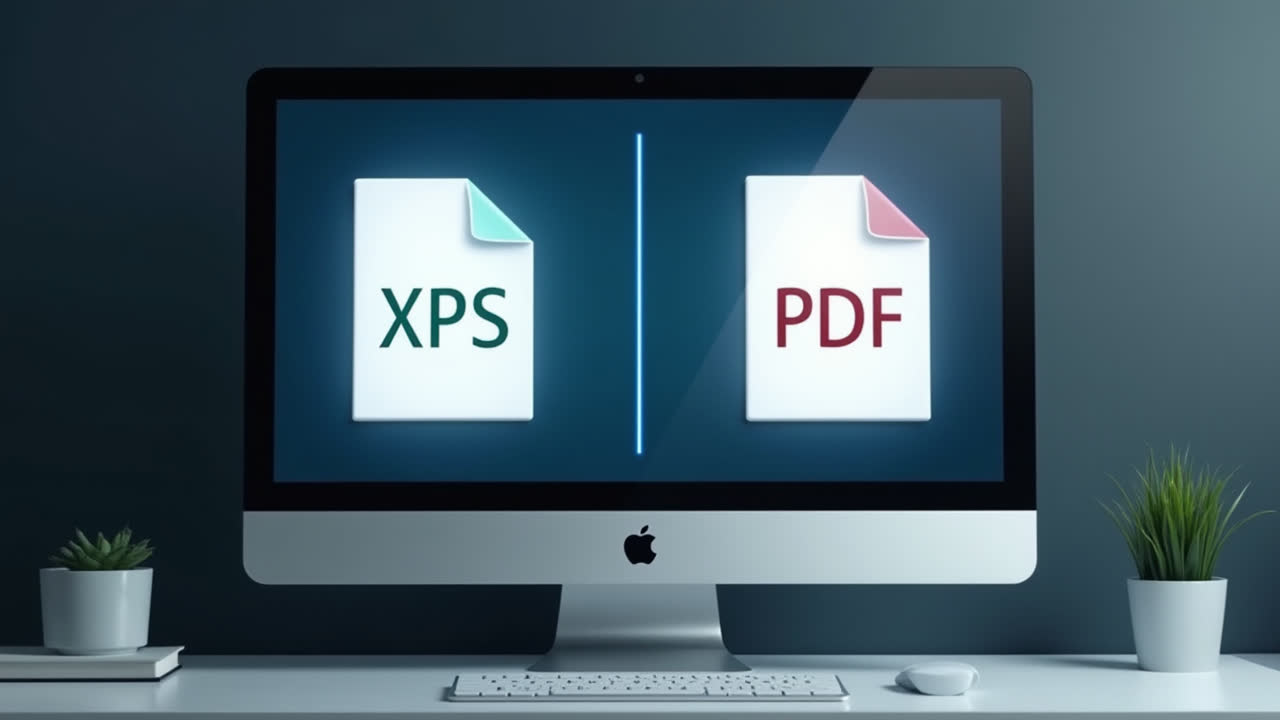
When it comes to sharing and preserving documents in their original format, XPS and PDF are two popular file formats that often come to mind. I've spent countless hours working with both formats, and I'm always surprised by how many people don't understand the differences between them. Have you ever received an XPS file and struggled to open it? Or wondered why some people prefer one format over the other?
In this comprehensive guide, we'll explore the differences between these two document formats, examining their origins, compatibility, features, and use cases. By the end, you'll have a clear understanding of when to use each format and which one might be better suited for your specific needs.
What is XPS (XML Paper Specification)?
XPS, which stands for XML Paper Specification, is a document format developed by Microsoft in 2006. It was designed as Microsoft's answer to Adobe's PDF format and is based on XML (Extensible Markup Language). XPS was created as a replacement for the Enhanced Metafile (.EMF) format and serves as a fixed-layout document format.
I remember when Microsoft first introduced XPS with Windows Vista — it seemed like they were really pushing for it to become the new standard. The format was designed to preserve document fidelity across multiple devices and applications, ensuring that documents appear exactly as intended regardless of where they're viewed.
One of the defining characteristics of XPS is its integration with Windows operating systems. Most Windows versions come with built-in XPS viewers, making it relatively convenient for Windows users to work with XPS files without additional software. The format supports digital signatures, allowing users to sign documents electronically, which can be particularly useful for legal and contract documents.
XPS files have the .xps extension and are essentially a compressed archive of XML files and resources. The XML-based structure makes the format more transparent and potentially more accessible for developers to work with programmatically. However, despite Microsoft's efforts, XPS never quite achieved the widespread adoption that PDF enjoys.
What is PDF (Portable Document Format)?
PDF, or Portable Document Format, was developed by Adobe in 1993 and has since become one of the most widely used document formats in the world. The format was designed with the primary goal of creating documents that would look the same regardless of the software, hardware, or operating system used to view them.
I still remember the early days of PDF when you absolutely needed Adobe Reader to open these files. Now, virtually every device has some capability to read PDFs built right in. That universal compatibility is one of the format's greatest strengths and a key reason for its enduring popularity.
A PDF file can contain a rich variety of content types, including text, images, vector graphics, interactive forms, and even multimedia elements like audio and video. The format preserves the layout, fonts, formatting, and graphics of the original document, ensuring consistent appearance across different platforms.
Over the years, PDF has evolved significantly, adding features like encryption, digital signatures, form filling, and accessibility enhancements. Today, PDFs are used for everything from simple text documents to complex interactive reports, e-books, and legal documents.
Adobe provides the free Adobe Reader for viewing PDFs, but there are also numerous third-party readers available. For editing PDFs, options range from Adobe's premium Acrobat software to various third-party alternatives. This widespread support across devices and platforms has helped cement PDF's position as the de facto standard for document exchange.
Key Differences Between XPS and PDF
| Feature | XPS | |
|---|---|---|
| Developer | Microsoft | Adobe |
| Initial Release | 2006 | 1993 |
| File Extension | .xps | |
| Default Viewer | XPS Viewer (Windows) | Adobe Reader (Cross-platform) |
| Cross-platform Compatibility | Limited (primarily Windows) | Extensive (Windows, Mac, Linux, mobile) |
| Technological Base | XML-based | PostScript-based |
| Editability | Limited editing capabilities | Various editing options available |
| Market Adoption | Limited usage | Widespread global standard |
Beyond the features listed in the table, there are several other important differences worth noting. For instance, PDF has had nearly three decades to develop and refine its feature set, while XPS is relatively younger. This has given PDF a significant head start in terms of adoption and ecosystem development.
I've personally found that compatibility issues are the biggest practical difference between these formats. When I send a PDF to someone, I'm almost 100% confident they'll be able to open it without any special software. The same can't be said for XPS files, which often prompt "what program do I need to open this?" responses from recipients.
Compatibility and Platform Support
One of the most significant advantages PDF holds over XPS is its cross-platform compatibility. PDF readers are available for virtually every operating system and device type, making it a truly universal format. Adobe Reader is freely available for Windows, macOS, Linux, iOS, Android, and many other platforms. Additionally, most modern browsers have built-in PDF readers, allowing users to view PDFs without installing any additional software.
XPS, on the other hand, has much more limited platform support. While Windows includes built-in XPS viewers, users on macOS, Linux, and mobile platforms typically need to install third-party software to view XPS files. For Mac users, options include NiXPS View or Edit and the Pagemark XPS Viewer plug-in for Firefox and Safari web browsers. However, these solutions aren't as seamless or widely available as PDF readers.
I once had to collaborate on a project where a client insisted on using XPS for all documentation. It created a real headache for team members using Mac computers, who had to install special software just to view the files. We eventually convinced the client to switch to PDF, which solved all our compatibility issues instantly.
This disparity in platform support has significant implications for document sharing and distribution. If you're sharing documents with a diverse audience using different devices and operating systems, PDF is generally the safer choice to ensure everyone can access your content without friction.
Features and Capabilities
Both XPS and PDF offer a range of features for document creation, viewing, and management, but there are notable differences in their capabilities and implementations.
Security Features
PDF offers robust security features, including password protection, encryption, and permission controls that allow document owners to restrict printing, copying, and editing. PDF also supports digital signatures with various levels of verification. These security features have made PDF the format of choice for sensitive documents in many industries.
XPS also supports digital signatures and basic permissions management, but its security feature set isn't as comprehensive or widely implemented as PDF's. In my experience working with legal documents, I've found that most document management systems are better equipped to handle security and compliance requirements for PDFs than for XPS files.
Interactive Elements
Modern PDFs can include a wide range of interactive elements, including form fields, buttons, hyperlinks, embedded media, and JavaScript. These features enable the creation of dynamic documents that users can interact with, such as fillable forms, interactive reports, and multimedia presentations.
XPS supports some basic interactive elements like hyperlinks and form fields, but its interactive capabilities are more limited compared to PDF. If you need to create rich, interactive documents, PDF generally offers more options and better support.
Compression and File Size
Both formats use compression to reduce file size, but they employ different techniques. XPS uses ZIP compression for the entire package, which can be efficient for certain types of content. PDF uses various compression algorithms depending on the content type, with specialized compression for text, images, and other elements.
In practice, I've found that neither format consistently produces smaller files than the other — it really depends on the specific content. For documents with many high-resolution images, PDF sometimes has an edge due to its more sophisticated image compression options.
Use Cases: When to Use XPS vs PDF
Given the differences between XPS and PDF, each format may be better suited for certain use cases. Here's a practical guide to help you decide which format to use based on your specific needs:
When to Use XPS
- Windows-centric environments: If your organization primarily uses Windows computers and Microsoft software, XPS may integrate well with your existing workflow.
- Microsoft Office integration: XPS works seamlessly with Microsoft Office applications, making it convenient for saving Office documents in a fixed-layout format.
- When working with Windows print systems, as XPS is the native print spool format in modern Windows versions.
- For internal document distribution within organizations that have standardized on Microsoft technologies.
When to Use PDF
- Cross-platform document sharing: When you need to share documents with users on different operating systems and devices.
- Long-term archiving: PDF/A, a specialized version of PDF, is designed specifically for long-term document archiving and preservation.
- For documents that require advanced security features like encryption and detailed permission controls.
- When creating interactive forms or documents that users need to fill out electronically.
- For professional publishing and printing, as PDF is the industry standard in print production workflows.
- When accessibility is a concern, as PDF has more mature accessibility features and better support for assistive technologies.
In my professional experience, I've found that PDF is the more versatile choice for most situations. Unless you have a specific reason to use XPS (such as integration with a particular Microsoft-based system), PDF typically offers better compatibility, more features, and fewer headaches.
Future Outlook and Industry Trends
Looking at the trajectory of both formats, it's clear that PDF has maintained its position as the dominant document format, while XPS has remained a relatively niche alternative. Adobe continues to develop and enhance the PDF specification, with recent versions adding improved support for mobile devices, better accessibility, and enhanced security features.
Microsoft's commitment to XPS appears to have waned somewhat in recent years. While XPS remains supported in Windows, Microsoft has not significantly expanded its capabilities or pushed for broader adoption. In fact, with the rise of cloud-based document solutions like Microsoft's own Office 365, the emphasis seems to have shifted away from fixed-layout formats like XPS toward more dynamic and collaborative document approaches.
I remember a conference a few years ago where document format experts were discussing future trends, and XPS barely got a mention—all the innovation and excitement was around PDF and newer web-based formats. That seems indicative of where things are headed.
For users and organizations making decisions about document format standards, it's worth considering these trends. Investing heavily in XPS-based workflows might not be the most future-proof choice, while PDF continues to be a safe bet for document exchange, archiving, and distribution.
Frequently Asked Questions
Can I convert between XPS and PDF formats?
Yes, you can convert between XPS and PDF formats using various tools. Microsoft Windows includes built-in options to convert from other formats to XPS through the print functionality (by selecting "Microsoft XPS Document Writer" as the printer). For converting XPS to PDF, you can use Adobe Acrobat, online conversion tools, or third-party software like Nitro PDF or PDF Architect. Most conversions between these formats preserve the visual appearance of documents quite well, though some advanced features like form fields or interactive elements might not convert perfectly.
Are XPS files more secure than PDF files?
Neither format is inherently more secure than the other, but PDF has a more mature and comprehensive security feature set. PDF supports various levels of encryption, password protection, permission controls, and digital signatures. XPS also supports digital signatures and basic security features, but they're not as widely implemented or as flexible as PDF's security options. The security of either format ultimately depends on how it's implemented and the specific tools used to create and manage the documents. For highly sensitive documents requiring advanced security features, PDF typically offers more options and better industry support.
Why hasn't XPS become as popular as PDF despite Microsoft's backing?
XPS hasn't achieved the same level of popularity as PDF for several reasons. PDF had a 13-year head start, already becoming an established standard before XPS was introduced. Adobe made the PDF specification openly available and eventually released it as an ISO standard, encouraging widespread adoption. The cross-platform nature of PDF makes it more versatile than XPS, which is primarily associated with Windows. Microsoft's promotion of XPS was also relatively limited compared to Adobe's ongoing development and marketing of PDF. Additionally, PDF readers were freely available for all major platforms, while XPS viewing options remained more limited, especially on non-Windows systems. These factors combined to make PDF the preferred choice for document exchange despite Microsoft's backing of XPS.
Conclusion
While both XPS and PDF serve the same fundamental purpose of preserving document fidelity across different systems, PDF has emerged as the clear winner in terms of adoption, compatibility, and feature set. XPS remains a viable option, particularly in Windows-centric environments, but its limited cross-platform support has hindered widespread adoption.
For most users and organizations, PDF continues to be the more practical choice for document sharing, archiving, and distribution. Its universal compatibility, robust feature set, and strong industry support make it hard to beat as a general-purpose document format.
That said, there's no one-size-fits-all answer. The best format for your needs will depend on your specific use case, the systems you're working with, and the requirements of your audience. By understanding the strengths and limitations of both formats, you can make an informed choice that best serves your document management needs.
Have you had experience working with both formats? I'd be curious to hear which one you prefer and why. In my own work, I've found that despite occasionally using XPS for specific Windows-related tasks, I keep coming back to PDF for its reliability and universal acceptance.
References:
- http://www.lifewire.com/xps-file-4138365
- http://www.techwalla.com/articles/how-to-open-xps-files
- https://en.wikipedia.org/wiki/Open_XML_Paper_Specification
- http://fileinfo.com/extension/xps
- http://techterms.com/definition/pdf
- https://en.wikipedia.org/wiki/PDF
- https://commons.wikimedia.org/w/index.php?curid=https://commons.wikime